Run the show,
not the laptop
Downstage puts your Ableton Live set on an iPad at the front of the stage. Every song, every section, every jump — big enough to read under the lights, and landed by Live on the bar line.
One email when your build is ready. Read the docs →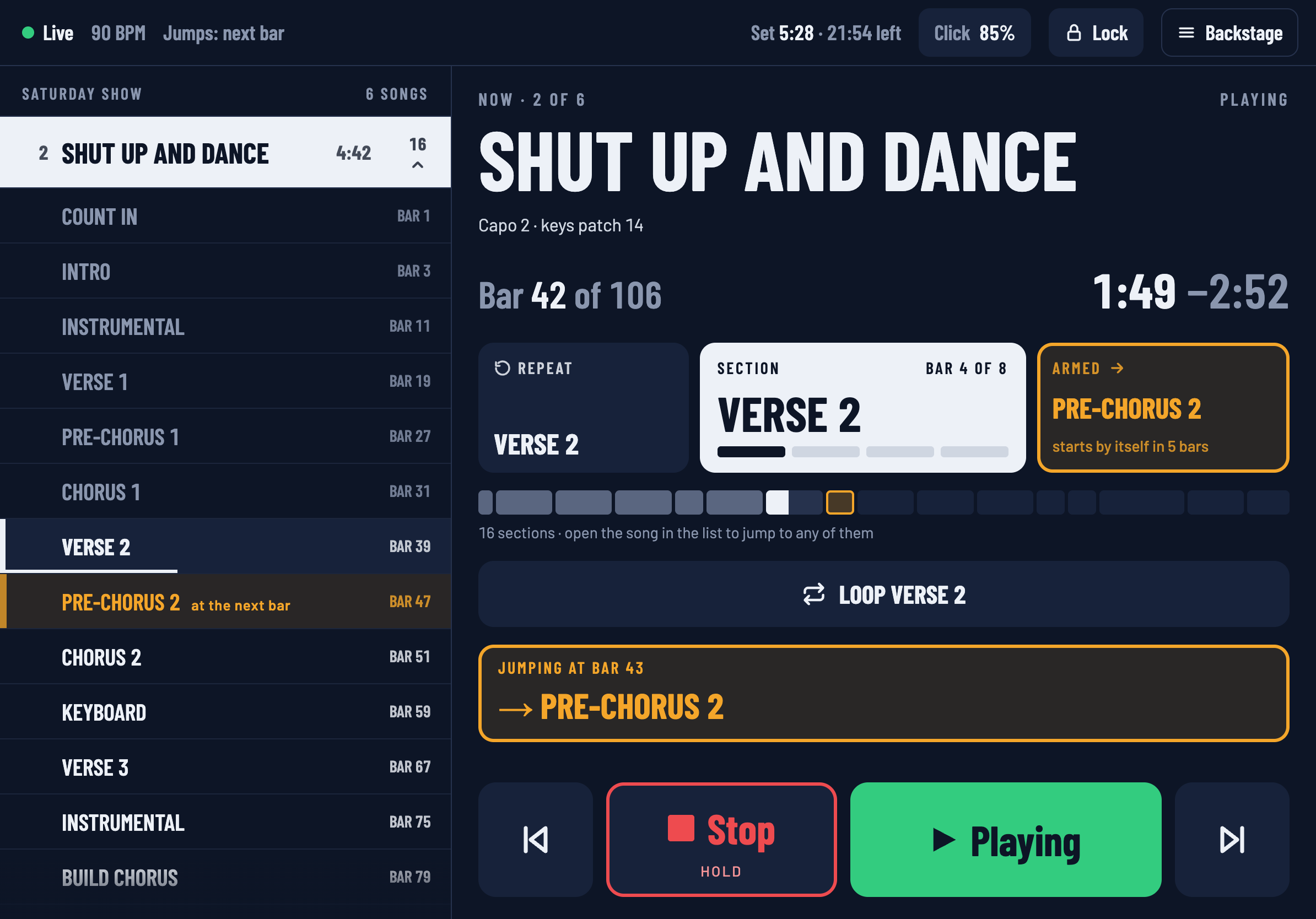
Built by The Fifth Sense, a band from Mumbai, for our own gigs first — then for yours.
The laptop is behind you. The show is in front of you.
Reaching back for the trackpad
Between songs, in the dark, with a guitar still on — while the room waits.
Nobody knows what’s next
The drummer guesses, the singer turns round, the set list is taped to the floor.
A jump that misses the bar
Click a locator a beat late and the whole room hears it.
Every jump lands on the bar
Tap a song or a section and it turns amber — waiting for the bar line. Live does the timing itself, so a slow Wi-Fi packet can never put a jump off the beat. One card on the screen always says what is about to happen, and when.
Read the room. Change the song.
Repeat the chorus while the crowd is singing. Skip the bridge when the set is running long. Hold a vamp until the singer is ready — Downstage uses Live’s own loop, so it never drifts.
The whole band on the same page
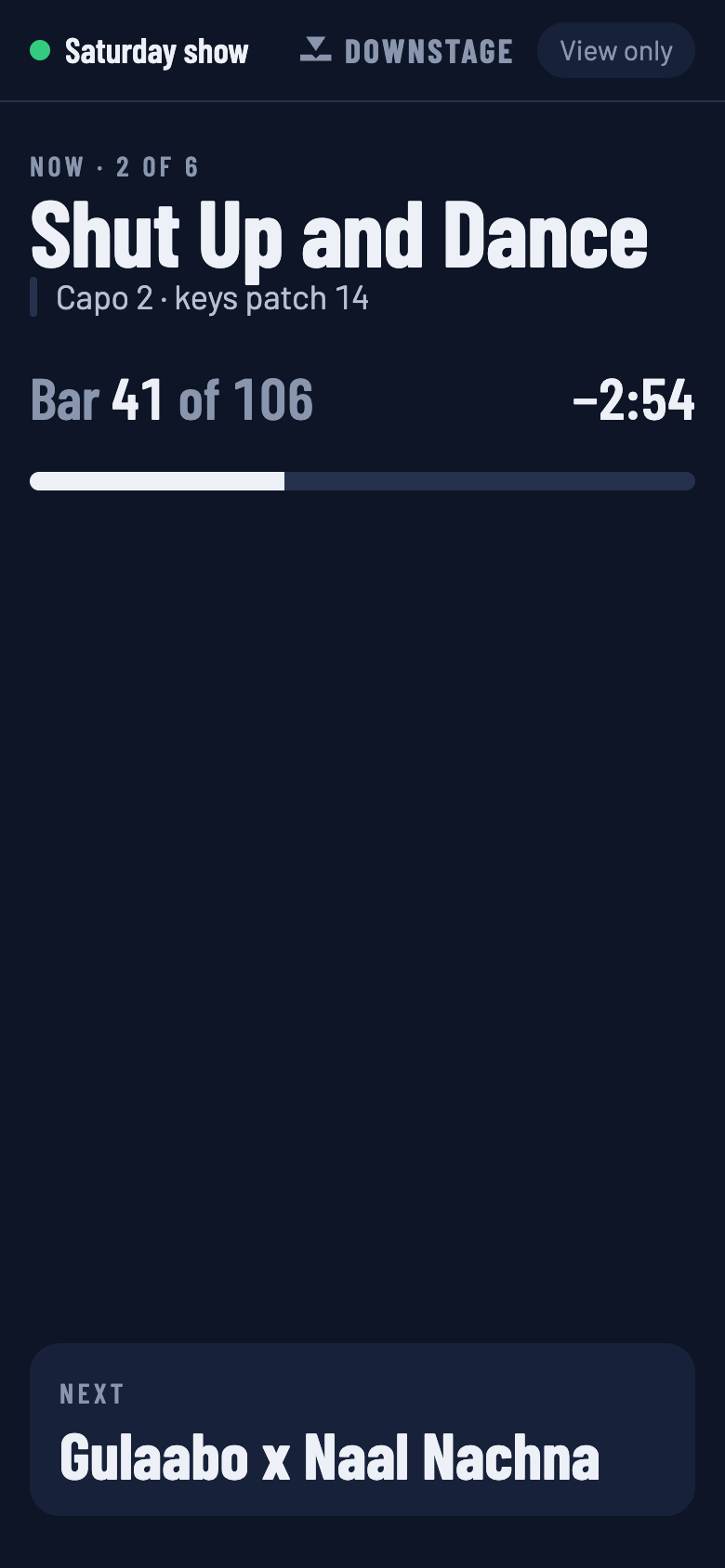
Any phone on the network opens a view-only screen: what’s playing, which bar, how long is left, and what’s coming next — including a jump the moment it’s armed. Only the controller can change the show.
Right beside your charts
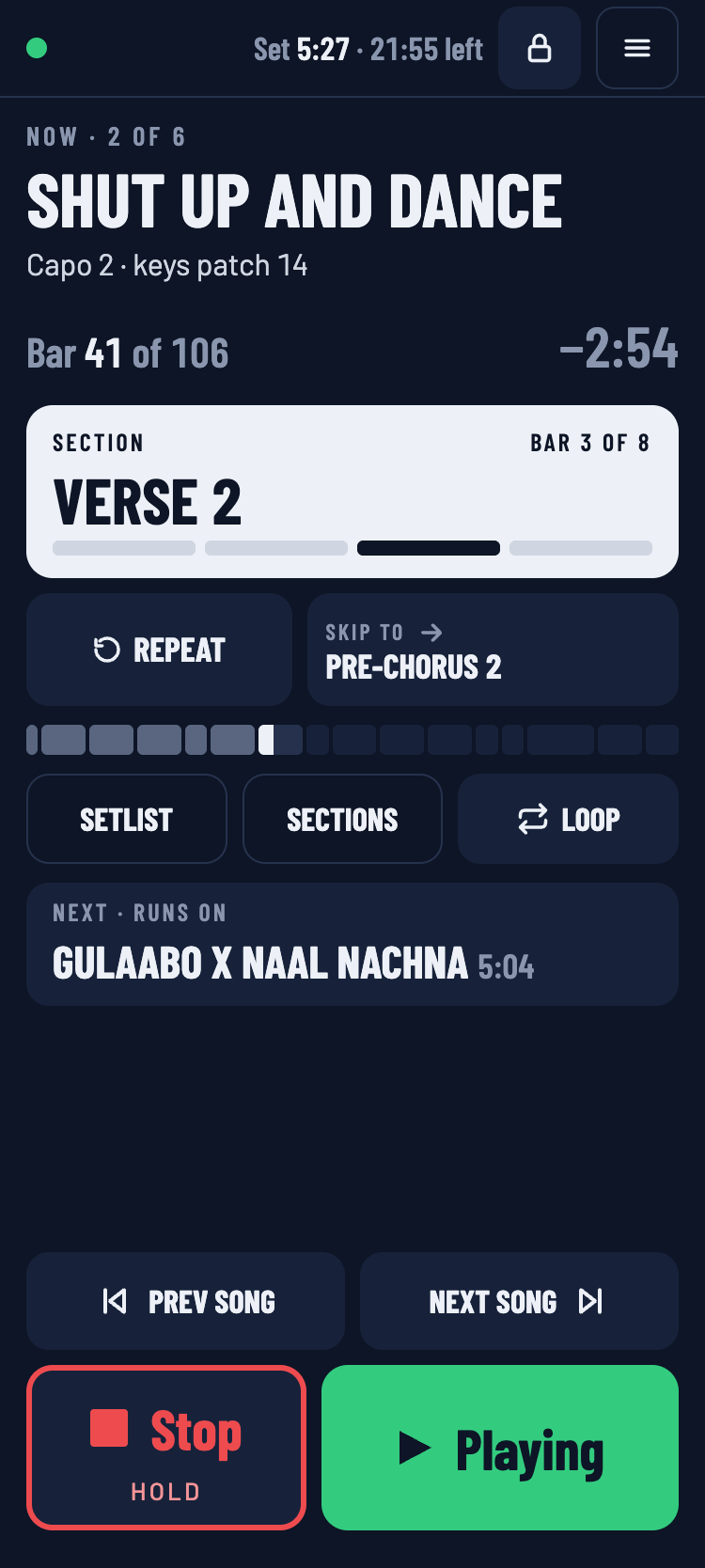
Keep your chords, lyrics or notes open and run Downstage next to them. It reshapes itself for a third, half or two-thirds of the screen — Stop and Play never get smaller than your thumb.
One Live set. A setlist for every gig.
Your songs come straight from your Live set’s locators. Drag them into a running order, choose which ones run straight on and which stop, and set the slot the venue gave you — Downstage tells you what time you have spare. Your arrangement never moves.
Never in the audio path
Downstage only ever tells Live where to go. The music is always Live’s.
If the iPad dies, Live keeps playing.
Downstage is a remote, not a player. Nothing it does can stop your audio by disappearing.
If the Wi-Fi drops, Live keeps playing.
Jumps are timed inside Live, not over the network. The iPad reconnects by itself.
Stop needs a hold.
Mid-song, Stop asks for a press-and-hold, and a Lock button ignores stray taps altogether.
Your Live set stays yours.
Downstage reads your locators and never opens your .als. Its own data lives in a folder beside it.
Set up once. Ten minutes.
- 1
Connect it to Live
Install Downstage on the Mac that runs Ableton, press one button to add its connector to Live, and pick Downstage as a control surface. Once per laptop.
- 2
Name your locators
Each locator is a song. Put sections on a SECTIONS track. If you already use another setlist tool’s naming, most sets need no renaming.
- 3
Open it on the iPad
Join the laptop’s Wi-Fi and open downstage.local in the browser. No account, and no internet needed at the venue.
Questions bands ask
Do I need Max for Live or Live Suite?
No. Downstage talks to Live through a remote script, which works in every edition of Live 11 and 12.
Does it need the internet at the venue?
No. Everything runs on your own local network. A small travel router is more reliable than venue Wi-Fi, and that’s what we recommend.
What happens if the iPad or the network fails mid-song?
Live keeps playing exactly as it was. Downstage only sends instructions; it is never in the audio path. When the iPad reconnects, it picks up where Live is.
Can the rest of the band see it?
Yes. Any phone or tablet on the network can open a view-only band screen. Only the controller can play, stop or jump.
Is there a Windows version or an iPad app?
The beta is Mac first, and any browser can be the controller. Windows support and a native iPad app are planned, not built yet.
I already name locators for another setlist tool. Do I start again?
Usually not. Downstage reads the common conventions — a SECTIONS track, SONG END markers and {notes} in names — so most sets work as they are. The cheat sheet lists every name it understands.
How much will it cost?
It’s free during the beta. Pricing will be announced at launch, set fairly for each region.
Play your next gig from the front
Downstage is in a free beta with a handful of bands. Leave your email and we’ll send a build when there’s room for yours.
We keep your address and nothing else. Privacy